Command
Mission Control
See your operation in one place. Mission Control brings important signals from across PyroCore into one operational view. See product readiness, commerce connections, devices, deployments, intelligence and Platform Health without checking each area separately.
Mission
Give operators a single command view of platform readiness.
Purpose-built for specialty retail operators.
Who it’s for: Operators · Managers · Technical leads
Capabilities
What this module carries
What you can do with this module.
- Cross-module operational overview
- Catalog, commerce, and inventory readiness signals
- Display device and deployment awareness
- Intelligence and Platform Health visibility
- Actionable operational priorities
Outcomes
Why it matters operationally
Why it matters for your operation.
Know what needs attention
See your operational signals in one place so teams know what needs attention and where to go next.
Specialty-retail context
Signals reflect your catalog, store locations, screens, and commerce connections.
Relationships
How it connects across PyroCore
Hub to Products & Inventory, Commerce, Media, PyroTV, Device Management, Deployment Center, Retail Intelligence, Sales Intelligence, and Platform Health
Product proof
Real module surface
See how it works in PyroCore.
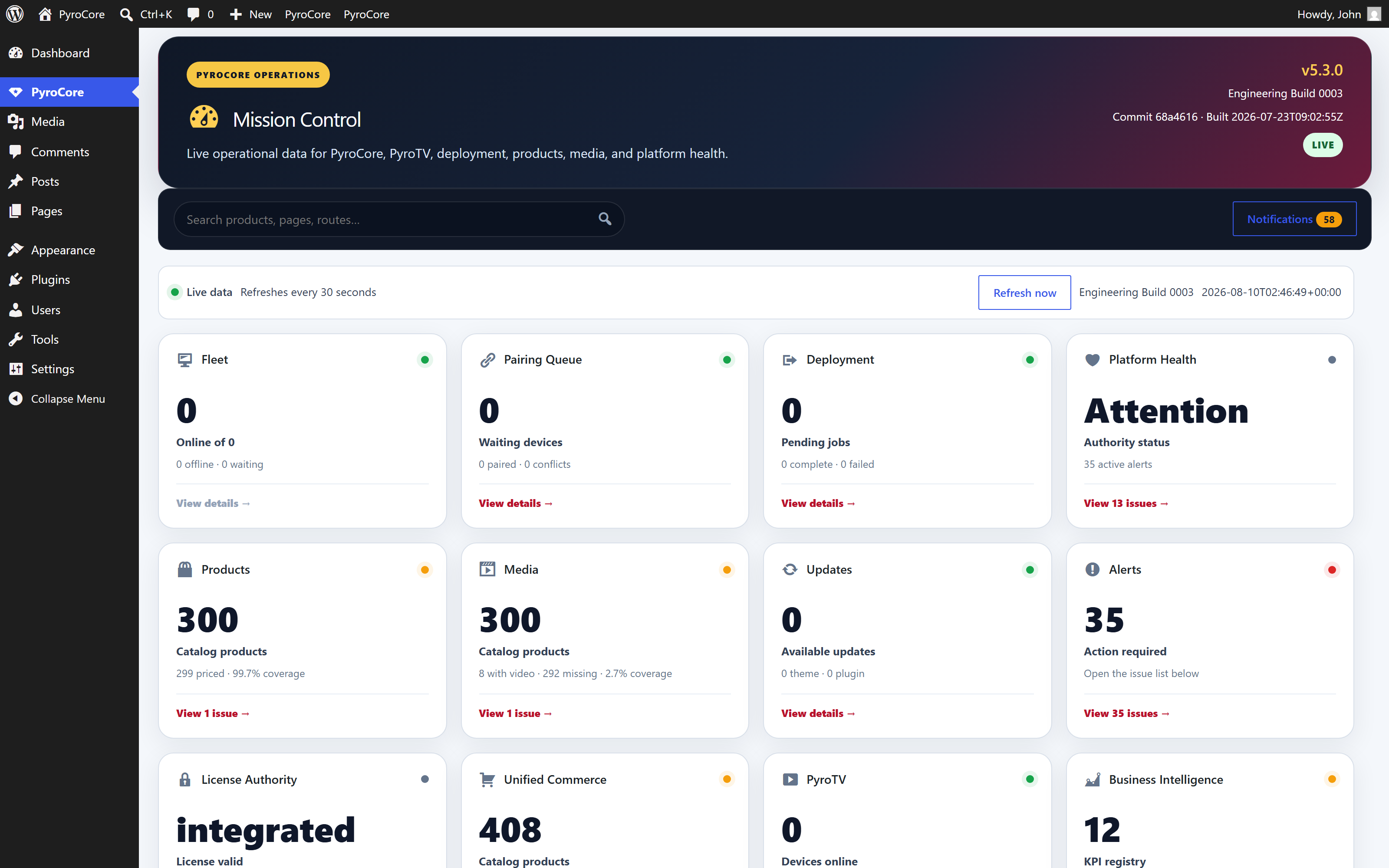
See Mission Control in your operation
Request a demo, or return to the platform story for the full connected system.